ASAP
“I need help as soon as possible.”
Request suitable local help for the earliest time a professional can accept.
EXPLORE KNOQ
Start with the short guide below, then create your account. Public app downloads are awaiting store approval. A website signup does not book a service.
For homes and businesses seeking help, and independent professionals offering it. Here is how the app journey works. Service access depends on professional approval and local availability.
Assessment first? Agree its scope, timing and any fee separately. An assessment does not authorise repairs; any work needs its own proposal and your agreement.
KNOQ, IN 90 SECONDS
From a need at home or work to an independent professional on the way, see how both sides stay in the loop.
Welcome to KNOQ, your local help marketplace. Saturday afternoon, quarter to four, a tap starts leaking and you need a plumber. Sunday morning, ten o’clock, you look at the lawn and decide today’s the day to get it sorted. Monday, you’ve got the day off and a list of repairs that could use a handyman. Tuesday, it’s time to move that fridge, cabinet or heavy couch and an extra pair of experienced hands would make all the difference. Or perhaps the windows need cleaning, the oven needs attention or the house could use some help before visitors arrive. Different days, different jobs, the same question: is someone suitable nearby and available now? That’s the moment KNOQ is being built for. Tell KNOQ what you need and request help now. Suitable independent trades and professionals nearby can decide whether the work fits their availability. You review the information they provide, ask any questions and decide whether they’re right for the job. When both sides agree, KNOQ confirms the commitment. The agreed professional can then head your way. You can follow their progress and estimated arrival time while they’re travelling, and live location sharing stops when they arrive. If nobody suitable is available right away, you can agree on another time or request a quote first. For homes and businesses, it means less searching, less ringing around and a clearer path to local help. For independent professionals, it means suitable nearby opportunities they can choose when the work fits. Help now, agree on a time or quote first. Both sides choose. Both sides agree. That’s KNOQ.
This film illustrates the app journey. It does not show a live customer booking or promise local availability. Live-trip sharing stops when the professional arrives.
Review how KNOQ worksMORE KNOQ FILMS
Explore the idea, the detailed journeys and the proposed marketplace model. Pick any film. Nothing plays until you say so.
These earlier concept films illustrate the experience. They do not show current service availability or a fee offer. Create an account online; professional service approval is a separate review.
NOW SHOWINGMeet Norb
Hi, I’m Norb, your friendly guide to KNOQ. KNOQ is designed to make local help simpler, right when it matters. Got a leaking tap, a garden that needs attention, or a job you’d like sorted soon? Start with what you know. KNOQ helps you discover nearby local professionals who are genuinely available, while keeping privacy in your control. And for local pros, KNOQ turns real spare time into nearby opportunities that suit your day. When a professional commits, everyone moves forward with clearer confidence: accepted, on the way and arriving. Less chasing, more certainty, a better local connection for both sides. I’m Norb, and this is KNOQ. Local help when it matters.
Finding local help shouldn’t mean searching websites, calling around and waiting to see who replies. With KNOQ, you can see nearby local professionals who are available now, available soon, or ready at a time that suits you. Compare their next available time, verified profile, and the price information they provide, then choose the option that works for you. Once you choose one, you can follow them on the way, so you know they’re coming, how long it will take and when they arrive. It’s that simple. If nobody is free right now, simply request a time and agree it directly with a local professional. It’s a clearer way to find local help when you need it, or when it works for you.
If you’re a local professional, KNOQ is built around the way you actually work. Had a cancellation? A quiet afternoon? Or a few hours you’d like to put to good use? Simply switch yourself available. Choose the nearby areas you cover and let local customers find you when you’re ready. You decide when you work and which jobs fit your time. KNOQ, putting local availability on the map. And if you’re interested in joining the local provider network, just head to KNOQ and register your service.
Hey, I’m Norb. Need a local hand? Or ready to turn a spare hour into a job? Tell me what’s happening, switch yourself on, and I’ll help make the next step simple. Local help on your terms. KNOQ.
START HERE
01 · WHAT
KNOQ is being built as a local help app. A home or business asks for help. An independent local professional decides whether the request suits their time, service area and business.
02 · SO WHAT
In the planned app, you could ask for help soon, choose a time, or request a quote first. The professional can accept, suggest another time or pass. If both sides agree, the job can move forward.
03 · NOW WHAT
Run a local trade or service? Tell us what you do and the suburbs you cover. Your account lets you continue in the app when you have access. You can create an account today. Professional approval is separate, and signup does not guarantee work.
THE KNOQ APP JOURNEY
First, a home or business asks for help. Then an independent trade or professional decides whether the request suits their day.
WHEN KNOQ LAUNCHES · THE TWO-SIDED JOURNEY
As an independent trade or professional, these are examples of requests you might receive in the planned KNOQ app. Each is a different way to start — not a series of steps.
HOME OR BUSINESS ASKS
FOR EXAMPLE · ELECTRICIAN“I need an electrician today.”
“I can help today.” or “I’m not free today.”
HOME OR BUSINESS ASKS
FOR EXAMPLE · ELECTRICIAN“Can an electrician come tomorrow at 10 am?”
“Yes, I can.” or “Could we make it 2 pm?”
HOME OR BUSINESS ASKS
FOR EXAMPLE · ELECTRICIAN“I’d like to go ahead — can you quote first?”
“I can come and quote.” or “I’ll pass on this one.”
Nothing goes ahead unless both sides agree.
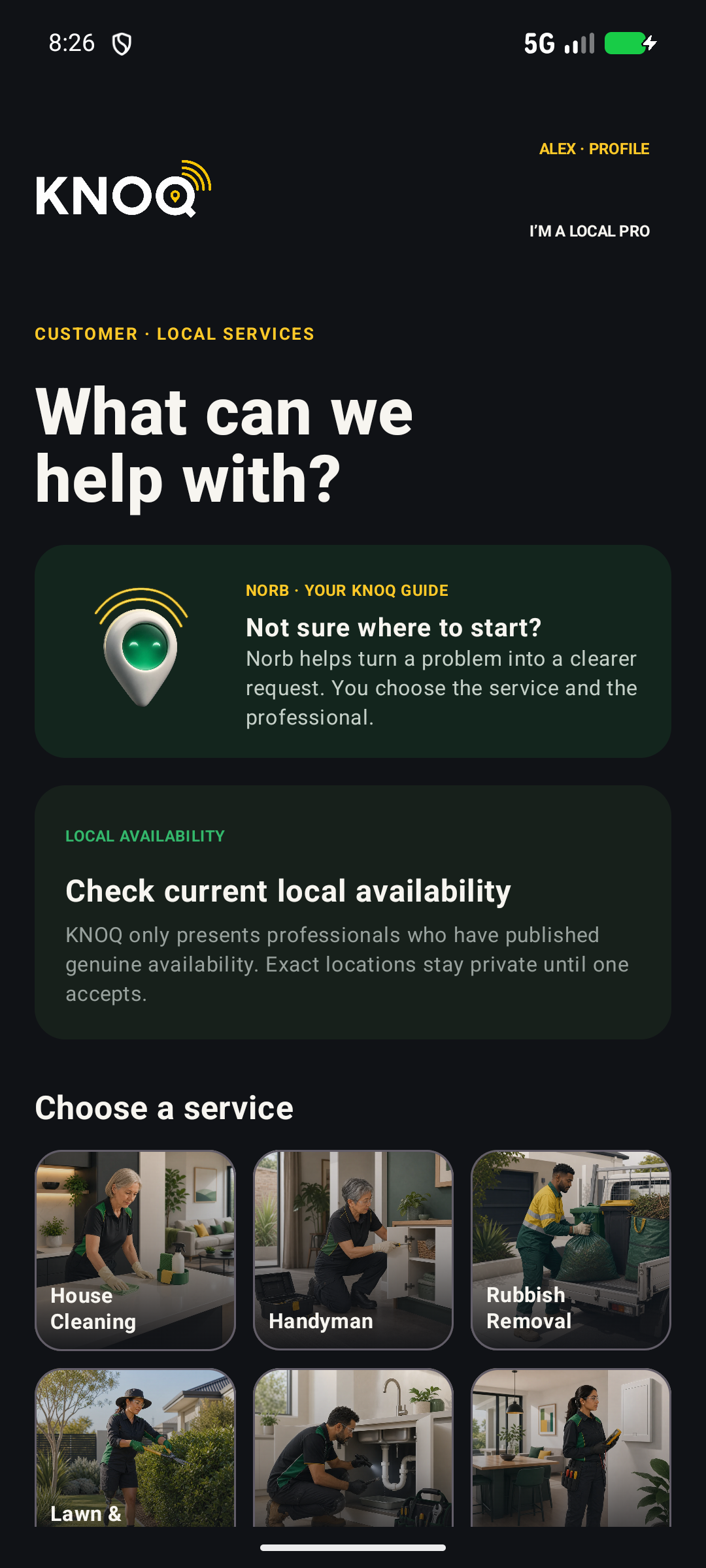
Choose the help you need.
ELECTRICIAN EXAMPLE
“I need an electrician in my area.
Can someone come now?”
Come now, suggest a time that works for both of you, or give a quote first.
Review the electrician’s proposed scope, price and timing, then choose whether to accept. If an assessment is needed, agree that visit and any fee first; repairs need a separate agreement. After booking, travel progress appears when the electrician starts travelling and stops at arrival.
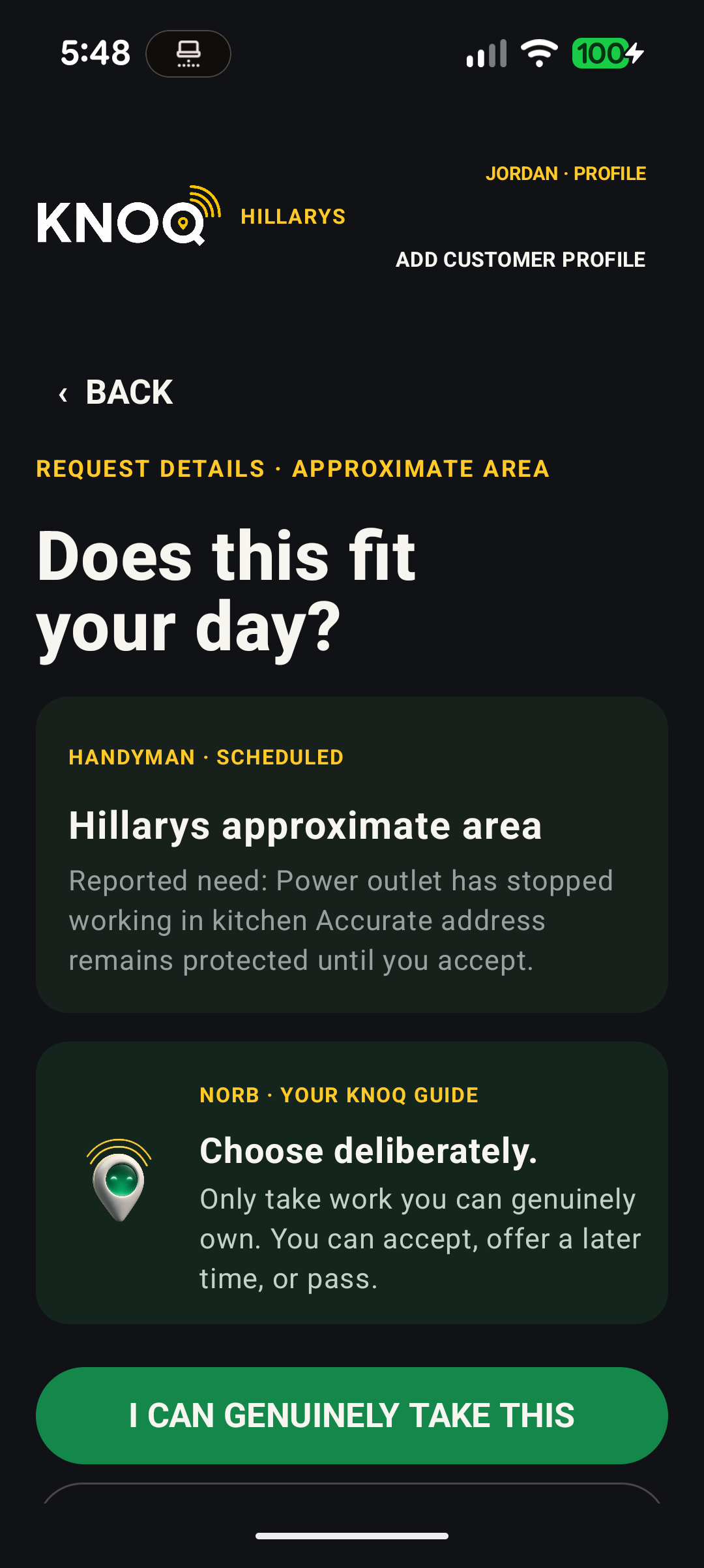
Accept, suggest another time or pass.
Planned initial-trial experience. A professional’s response is not a booking. The customer explicitly accepts the proposed scope, price and timing to confirm it, subject to eligibility and availability. The request shows an approximate area until booking; the exact address is then shared with the booked professional. Live travel progress stops at arrival.
Create your account online, then continue in the app when you have access. Signup does not approve a professional, enrol you in a paid plan or guarantee work. No KNOQ fees apply during the free trial.
ONE CLEAR JOURNEY
Android development previews. Captured screens, including unfinished details. These are illustrative development captures. Both native apps now exist; public downloads are awaiting store approval.
Your exact address stays private until you accept the professional’s proposal.
Review suitable information. The professional decides whether the request fits. A quote visit is not an agreement to do the quoted work.
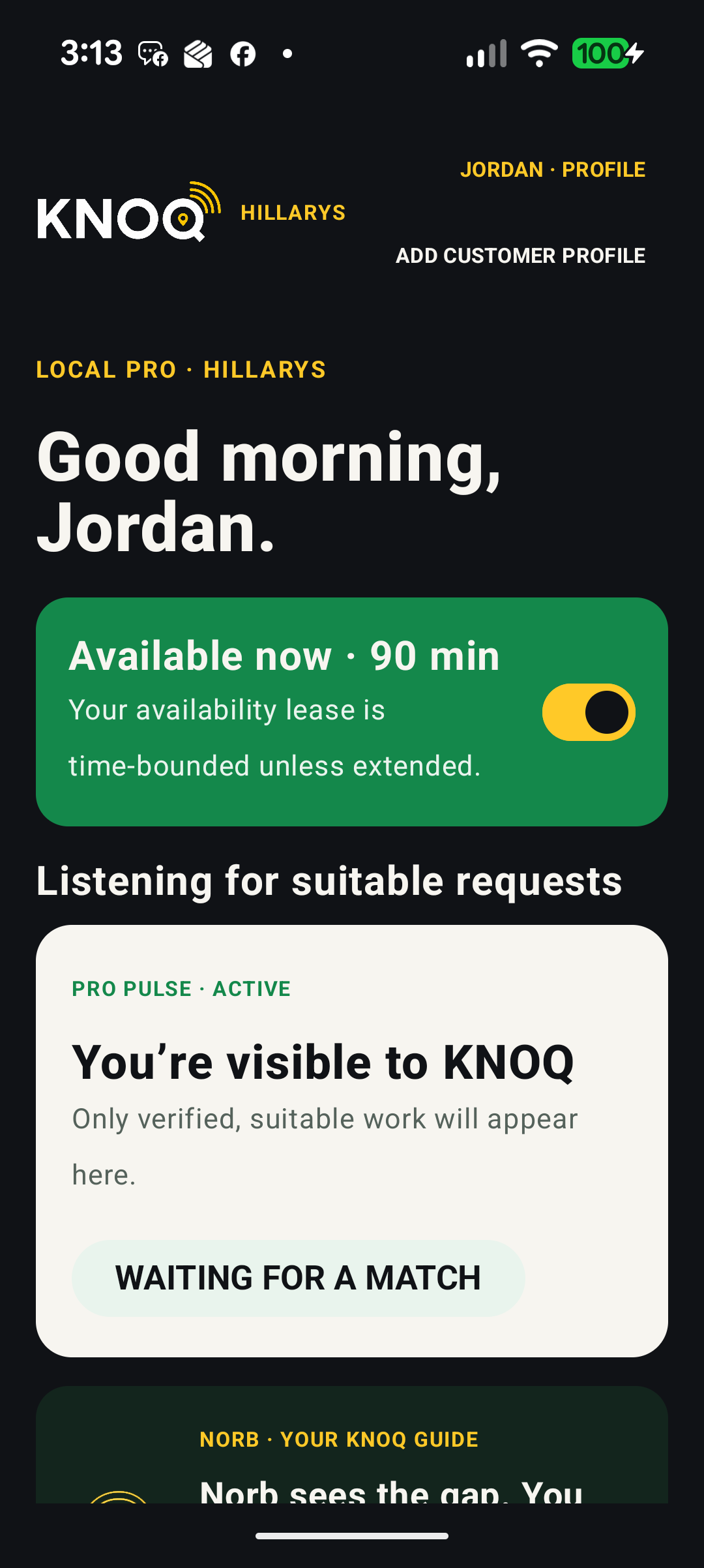
See status, travel progress and ETA once the accepted professional is on the way.
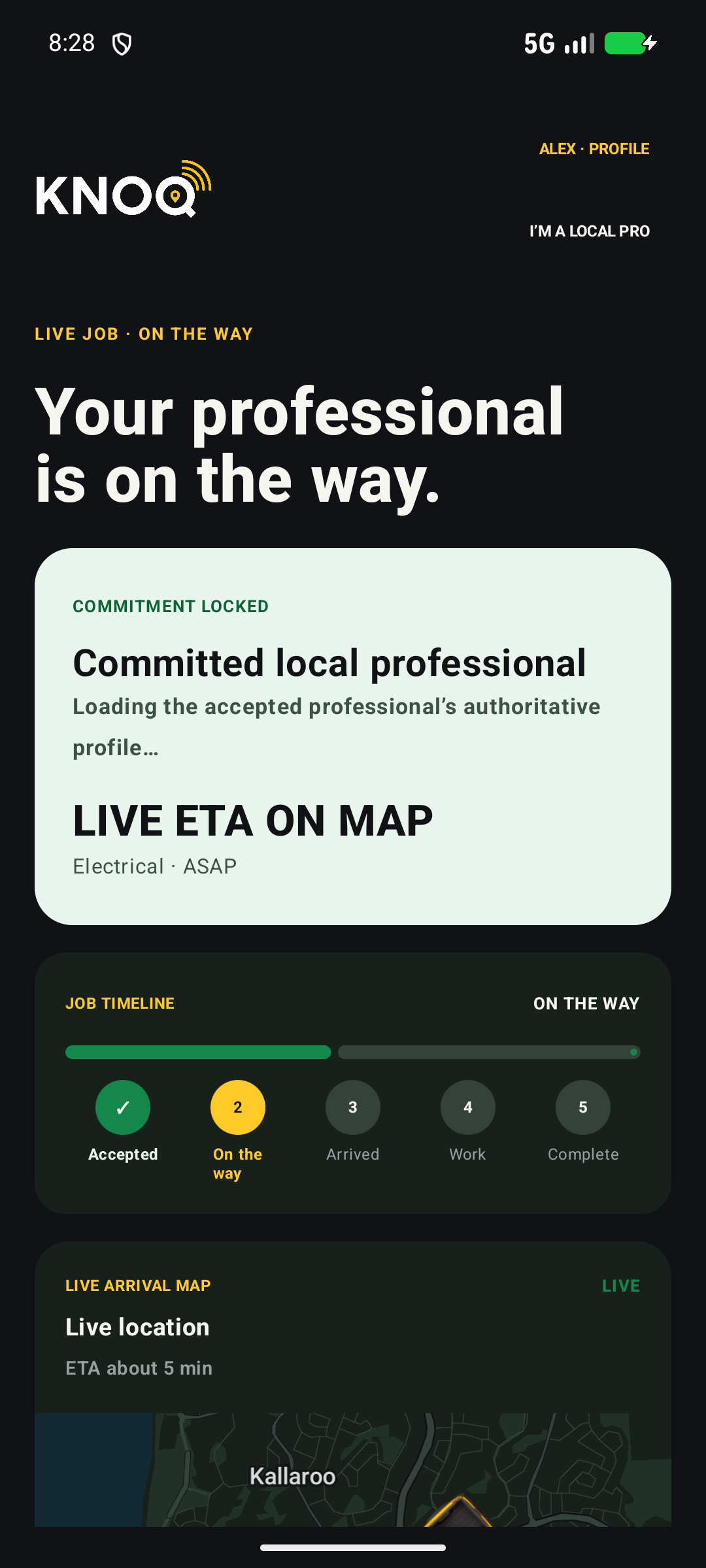
FOR HOMES & BUSINESSES
Choose the option that suits your job.
Choose one request option; these are not three steps. Account signup is open. Availability and timing depend on suitable local supply and professional confirmation. The customer confirms a booking by explicitly accepting the professional’s scope, price and timing.
FROM REQUEST TO REVIEW
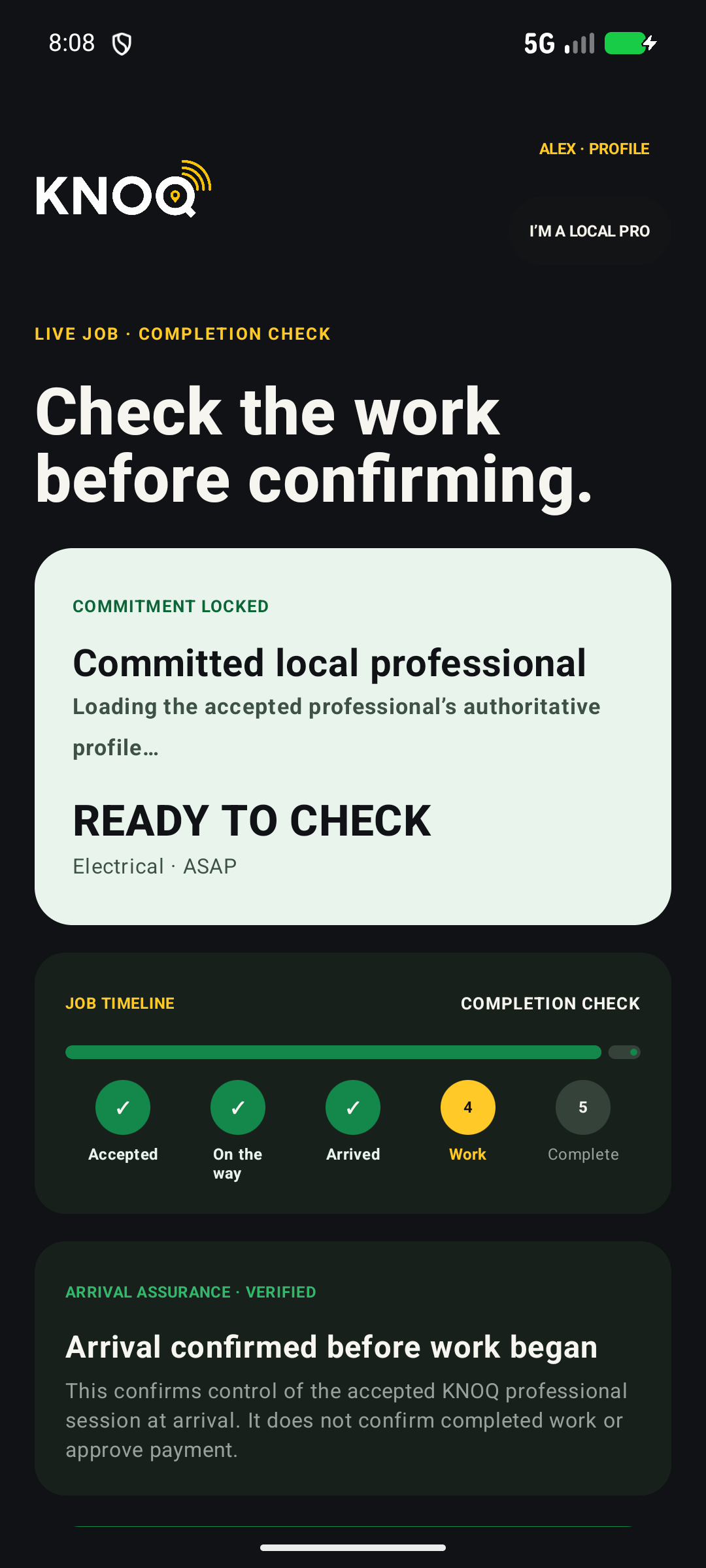
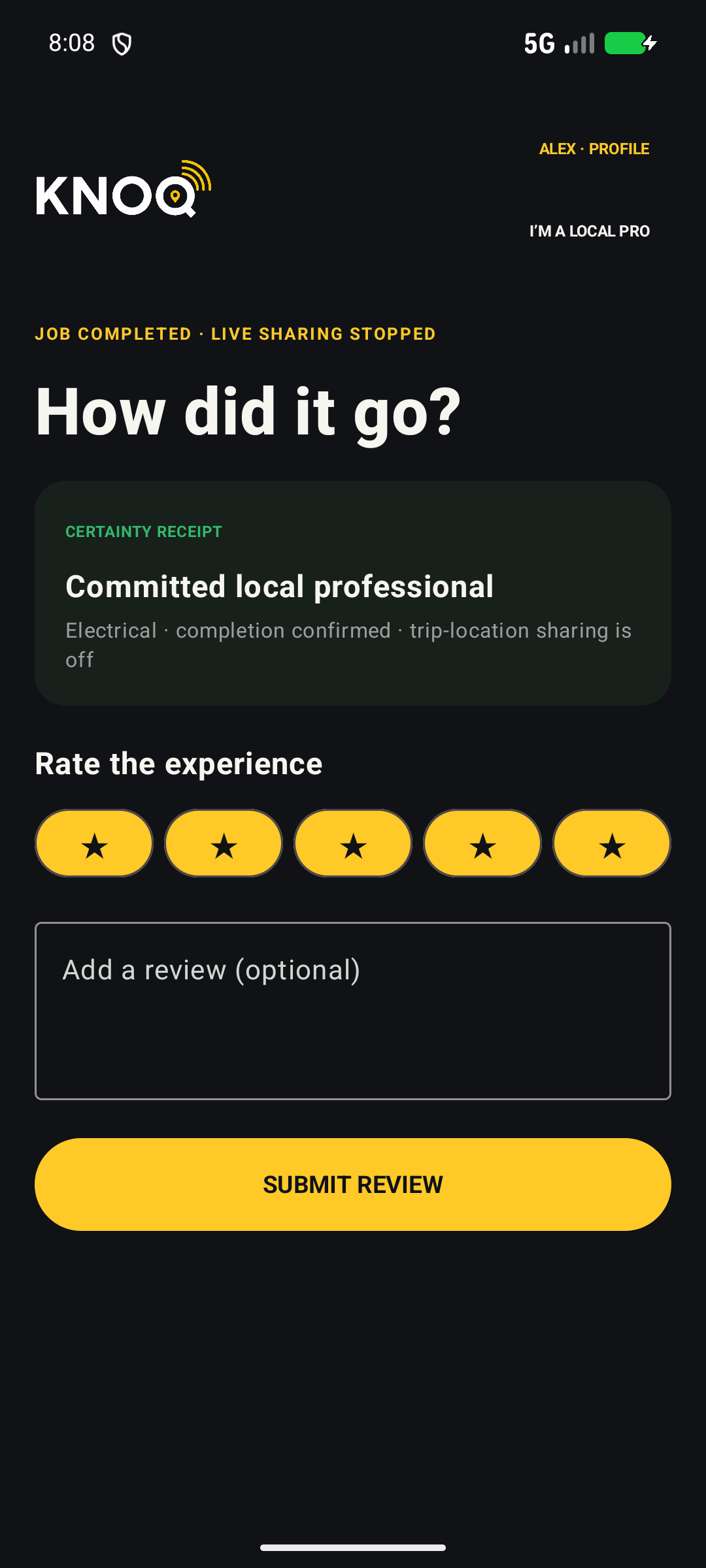
The journey doesn’t end at the doorstep. Check the work, confirm completion and leave feedback tied to the job.
Choose a service and request option.
After acceptance, follow travel progress and ETA until arrival.
Check the work before confirming completion.
Share feedback tied to your job.
Your privacy travels with you. Live-trip sharing has already stopped at arrival, before completion or review.
Homes & businesses Android development screens, not live job information.
THE FIRST STEP IS LOCAL
The local network starts in Hillarys and surrounding suburbs. Service availability depends on approved professionals choosing to be available.
KNOQ, IN 90 SECONDS
Preparing for a local trial. Inviting interest across Perth’s northern suburbs, Western Australia.
FOR TRADES & SERVICE PROFESSIONALS
Tell us about your services and the suburbs you cover. Steve reviews professional applications for the services they offer.
Signup is the first step. It does not approve your services or guarantee work.
FOR HOMES & BUSINESSES
An electrician, a plumber, a cleaner or a hand with that next job? Let us know what would be useful in your suburb. Public app downloads are awaiting store approval. Signup does not create a booking.
Creating an account is not a request for work or a booking.
 Both have
For the free trial, the customer confirms the booking by accepting the professional’s scope, price and timing.
Norb helps explain.Both sides are KNOQ customers. One requests help; the other brings the skills and available time. These phone-shaped panels explain the planned experience; they are not live app screens.

Trades & service professionals
Explore the idea behind KNOQ: a planned marketplace connecting households and businesses with independent local trades and service professionals. Public app downloads are awaiting store approval. Signup does not create a booking.
The homepage sequence presents homes, local businesses, independent tradespeople and professionals across cleaning, maintenance, licensed trades, outdoor care, removals and property-service stories.
Account signup for households and professionals is open. Service access depends on professional approval, local availability and an agreed booking. KNOQ is not an emergency service.
Trade or service professional?
Create my accountLooking for the earlier layout? The full earlier homepage is preserved here.


